




What Is Ecommerce Keyword Research?
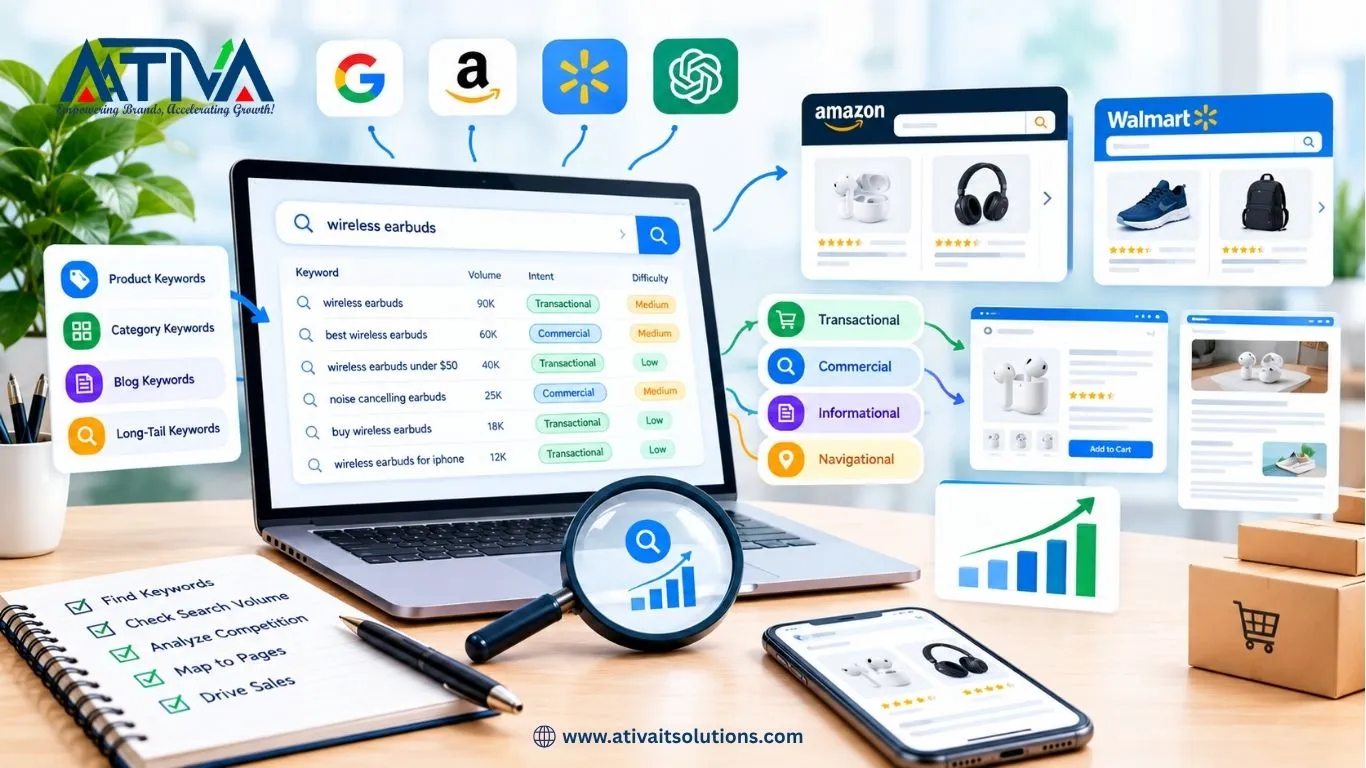
Ecommerce keyword research is the process of finding the exact words shoppers type into Google, Amazon, Walmart and AI tools when they want to buy, then matching those words to your product pages, category pages and blog content. Done well, it tells you which pages to create, what to name them and which ones to build first.
The short version: list your products, expand with real search data, group keywords by intent, map each group to one page, and prioritize by buying intent and competition.
Table of Contents
- Why ecommerce keyword research is different
- Step 1: List your products, categories and customer problems
- Step 2: Expand with seed keywords and tools
- Step 3: Mine Google’s free features
- Step 4: Research marketplace keywords (Amazon and Walmart)
- Step 5: Classify keywords by search intent
- Step 6: Check competition and difficulty
- Step 7: Map keywords to pages
- Keyword research mistakes to avoid
- FAQs
Why Ecommerce Keyword Research Is Different
Blog keyword research is about answering questions. Ecommerce keyword research is about matching shoppers to the right page type:
- Product pages target specific, high-intent searches (“women’s 14k gold hoop earrings”).
- Category pages target broader commercial searches (“gold hoop earrings”).
- Blog posts and guides target research-stage searches (“how to choose hoop earrings”).
If you put the wrong keyword on the wrong page type, you can do everything else right and still not rank.
Step 1: List Your Products, Categories and Customer Problems
Start offline, before opening any tool.
- Write down every product category and subcategory you sell.
- For each product, note its attributes: material, size, color, brand, use case, price range.
- Write down the problems each product solves (“lower back pain”, “small kitchen storage”).
- Pull real customer language from reviews, support emails, chat logs and returns data. Shoppers rarely use your internal product names.
Output of this step: a spreadsheet with columns for Category, Product, Attributes and Customer Problems. This becomes your seed list.
Step 2: Expand With Seed Keywords and Tools
Take your seed list and expand it with a keyword tool.
| Tool | Best for | Cost |
|---|---|---|
| Google Keyword Planner | Search volume ranges, ideas | Free with a Google Ads account |
| Google Search Console | Keywords you already get impressions for | Free |
| Semrush / Ahrefs | Volume, difficulty, competitor keywords | Paid |
| Helium 10 / Jungle Scout | Amazon and Walmart keyword data | Paid |
| AnswerThePublic or similar | Question-style keywords | Freemium |
How to do it:
- Enter 5 to 10 seed terms per product category.
- Export every suggestion with volume and difficulty.
- Add modifiers that signal buying intent: buy, best, cheap, for [use], near me, free shipping, size, review, vs, set, kit, organic, handmade.
Step 3: Mine Google’s Free Features
These show you real shopper language at no cost:
- Google Autocomplete: type your product and note what Google suggests.
- People Also Ask: a source of FAQ content and long-tail ideas.
- Related searches: found at the bottom of results pages.
- Google Shopping results: see how competitors name and describe products.
- Search Console: open Performance and filter by queries on position 8 to 20. These are your quickest wins because you already almost rank.
Step 4: Research Marketplace Keywords (Amazon and Walmart)
If you sell on a marketplace, the keywords that convert there are not always the ones that work on Google.
- Amazon: use the search bar autocomplete and tools like Helium 10 for reverse-ASIN lookups on competitors.
- Walmart: use Walmart’s own search bar autosuggest, study competitors’ listing titles and look at Walmart Seller Center search insights if you have access.
- Keep the primary keyword in the first 70 characters of the title, add attributes (size, count, material) naturally, and use the remaining keywords in bullet points and the description.
Tip: Marketplace shoppers often type shorter, more product-specific queries than Google shoppers, so build separate keyword lists for each channel.
Step 5: Classify Keywords by Search Intent
Group every keyword into one of four buckets:
| Intent | Example | Best page type |
|---|---|---|
| Transactional | “buy wireless earbuds under $50” | Product page |
| Commercial investigation | “best wireless earbuds for running” | Category page or buying guide |
| Informational | “how to clean wireless earbuds” | Blog post |
| Navigational | “[your brand] earbuds” | Brand or homepage |
Rule of thumb: prioritize transactional and commercial keywords for revenue, and use informational keywords to earn links and top-of-funnel traffic.
How to confirm intent: search the keyword on Google. If the top results are product listings, it’s transactional. If they’re articles and comparisons, it’s informational or commercial. Match your page type to what Google is already showing.
Step 6: Check Competition and Difficulty
For each keyword group, ask:
- Who ranks? Big retailers (Amazon, Walmart, Target) are hard to beat on generic terms.
- How strong are those pages? Look for thin category pages or outdated content.
- What’s the difficulty score? Use your tool’s score as a rough guide, not a rule.
- Is there a long-tail alternative? Instead of “running shoes,” target “lightweight trail running shoes for wide feet”.
Prioritization formula: score each keyword from 1 to 5 on three factors, then rank by the total.
- Buying intent
- Relevance to your catalog
- Ease of ranking (inverse of difficulty)
Start with high-intent, low-competition long-tail keywords. They convert better and build the authority you need for broader terms later.
Step 7: Map Keywords to Pages
This is the step most store owners skip, and it causes keyword cannibalization.
Create a keyword map:
| Page URL | Primary keyword | Secondary keywords | Page type |
|---|---|---|---|
| /collections/gold-hoop-earrings | gold hoop earrings | 14k gold hoops, small gold hoops | Category |
| /products/14k-gold-huggie-hoops | 14k gold huggie hoop earrings | huggie earrings gold | Product |
| /blogs/how-to-choose-hoop-earrings | how to choose hoop earrings | hoop earring sizes | Blog |
Rules:
- One primary keyword per page.
- Never target the same primary keyword on two pages.
- Link blog posts to the matching category and product pages.
- Put the primary keyword in the title tag, H1, URL, first 100 words and image alt text, and write for humans first.
Ecommerce Keyword Research Mistakes to Avoid
- Chasing volume only. A keyword with 500 searches and strong buying intent often beats one with 10,000 vague searches.
- Ignoring long-tail keywords. They make up the majority of search behavior and convert better.
- Using manufacturer descriptions. Duplicate copy gives Google no reason to rank you.
- Targeting one keyword on multiple pages. This splits your ranking signals.
- Doing research once. Revisit your keywords every quarter as seasons, trends and competitors change.
- Forgetting AI search. Shoppers now ask conversational questions in ChatGPT, Perplexity and Google AI Mode. Add a short FAQ to category and product pages that answers those questions directly.
FAQs- About Ecommerce Keyword Research
1.How many keywords should I target per page?
One primary keyword plus 3 to 5 closely related secondary keywords.
2.What is a good search volume for an ecommerce keyword?
There is no fixed number. A smaller keyword with clear purchase intent can outperform a bigger one with vague intent. Use volume to prioritize, not to disqualify.
3.How often should I do ecommerce keyword research?
Do a full review every quarter, and a quick check before each new product launch or major season.
4.Can I do ecommerce keyword research for free?
Yes. Google Keyword Planner, Search Console, Autocomplete, People Also Ask and Google Trends cover the basics.
5.Do I need different keywords for Shopify, Amazon and Walmart?
Often yes. Shoppers search differently on each platform, so build separate lists and optimize each listing for its own channel.
Need Help Turning Keywords Into Sales?
Ativa IT Solutions builds ecommerce SEO strategies for Shopify, Amazon and Walmart sellers across the USA. Get a free SEO audit and we’ll show you the keywords you’re missing.